
Switch page
Show another page on the Launchpad.
- Where
- + Add actionGeneralSwitch page
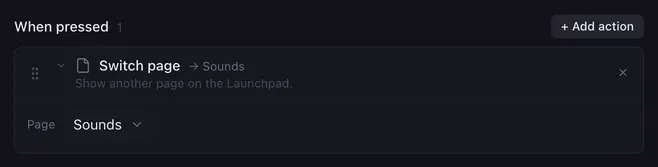
Switch page shows another page on the Launchpad and in the window. Pages let one Launchpad hold far more buttons than it has pads: a page for scenes, one for sounds, one for your game.
Settings
Section titled “Settings”| Setting | What it does |
|---|---|
| Page | Any page of your profile. If that page is removed later, the action shows “missing page” and does nothing. |
How it runs
Section titled “How it runs”- The switch is immediate, and Lunchpad remembers the page: it is still showing after a restart.
- The macro keeps running after the switch. Actions after Switch page in the same list still run, and macros started on the old page carry on.
- In the actions that follow, “this button” still means the button that started the macro, on its own page.
Examples
Section titled “Examples”A menu. Give every page a button in the same spot, for example a round top-row button, that switches back to your main page.
Peek at a page while holding a pad.
- When pressed: Switch page to Sounds.
- When released: Switch page back to your main page.
Related
Section titled “Related”- Pages and backup — add, rename and share pages
- Run another button — run a button on another page without switching to it