
Stop this macro
Stops every macro running on this button, including this one.
- Where
- + Add actionStopStop this macro
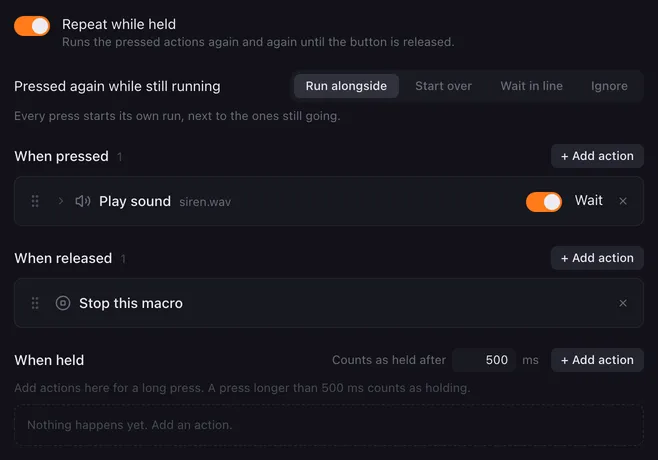
Stop this macro ends everything this button is doing. Its most common job is ending a repeating or long-running macro the moment you let go of the pad. The action has no settings.
How it runs
Section titled “How it runs”- A button can have several runs going at once: one per list, and with Run alongside one per press. Stop this macro stops all runs of this button: from the pressed, released and held lists alike.
- Presses that wait in line are dropped along with them.
- The run the action is in stops too, so actions after it in the same list do not run.
- Other buttons keep running.
- Stopping ends waits and delays at once, stops the sounds and speech of the stopped runs, ends a hotkey sequence after its current step, cancels HTTP requests still waiting for an answer, and closes programs started with Stop the program when the macro stops.
Repeat while held
Section titled “Repeat while held”Repeat while held runs the pressed actions again and again, so it needs a way out. When you switch it on, Lunchpad adds Stop this macro to When released for you, unless the list already has one. Switching repeat off leaves it in place.
If you remove it, the repeat only ends when you stop it another way, for example by right-clicking a pad and choosing Stop all macros.
Related
Section titled “Related”- Restart this macro — stop older runs but keep the new one
- Stop all macros — stop every button
- Action lists — pressed, released, held and repeat