
Run script
Run a small JavaScript snippet that can read and change variables.
- Where
- + Add actionSystemRun script
- Wait
- Has a Wait switch: on, the next action starts once this one is done
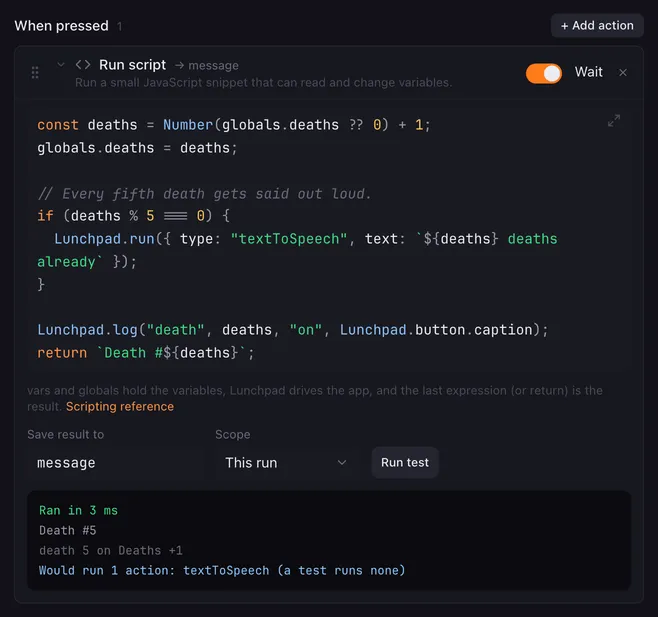
Run script is the glue between actions. When a condition is not enough, a few lines of JavaScript can do maths, format text, pick a value out of a JSON answer, keep a counter — and through the Lunchpad object, switch pages, press other buttons and run any action you like.
Settings
Section titled “Settings”| Setting | What it does |
|---|---|
| Code | The JavaScript to run. |
| Save result to | Stores the result in this variable. |
| Scope | This run or Everywhere, see variables. |
| Run test | Runs the snippet now and shows what it would do. See Run test. |
| Scripting reference | Opens this page. |
The editor
Section titled “The editor”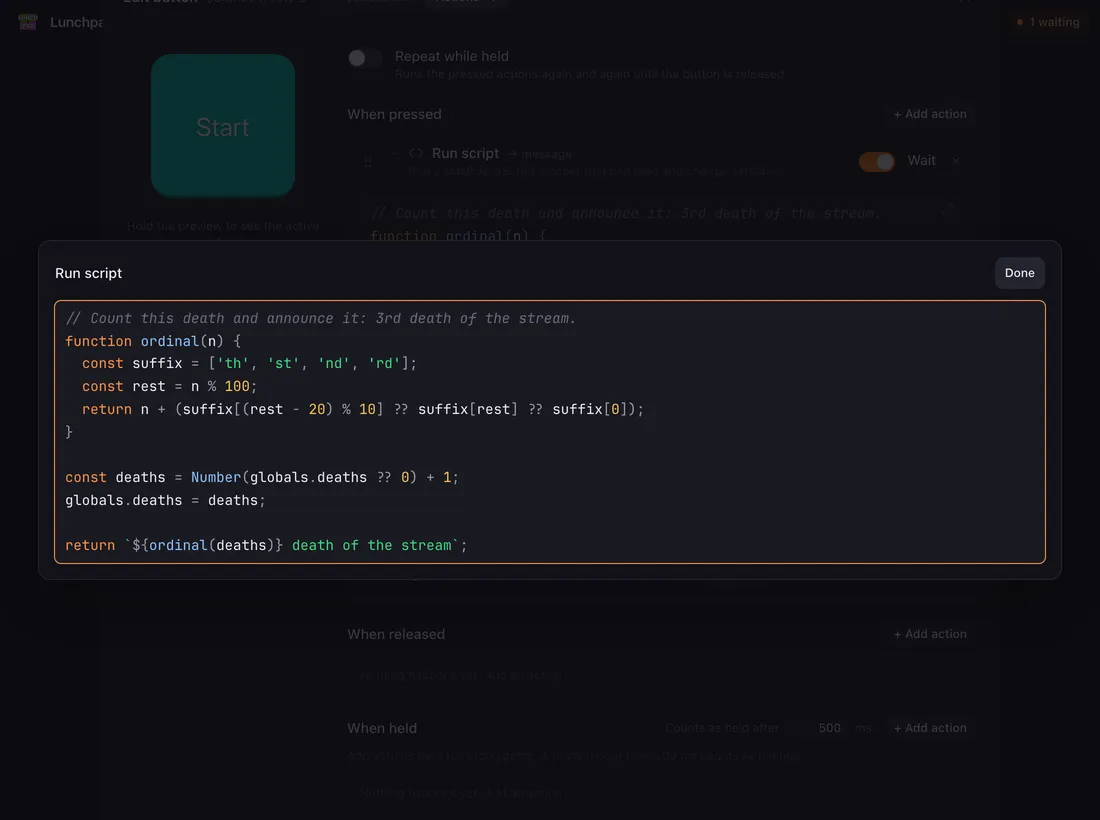
- The code is coloured as you type, and the field grows with it instead of scrolling.
- The ⤢ button in the corner opens the code in a window of its own. Done, Esc or a click outside brings you back.
- Typing
vars.,globals.orLunchpad.opens the list of names you can use, under the caret. ↑ ↓ choose, Enter or Tab insert, Esc closes.Lunchpad.button.,Lunchpad.device.andLunchpad.activePage.complete their fields too, and picking a function puts the caret between its brackets. Every entry says in one line what it is. - While the caret is inside a
Lunchpadcall, a hint shows what it takes: the whole signature, with the argument you are typing marked and explained —runButton(x, y, { page, trigger })tells you thatycounts from 0 at the bottom while you are on it. It follows you into an object or a list argument, so the fields of{ page, trigger }are explained too. Esc hides it until you move the caret. - A name with a dot is inserted the only way that works in JavaScript:
vars["fader.volume"], notvars.fader.volume.
What the script sees
Section titled “What the script sees”| Name | Contains |
|---|---|
vars.name |
Every variable the macro can see: the values Lunchpad provides, the shared variables and this run’s variables. This run’s win over shared ones, which win over the provided values. |
globals.name |
Only the shared variables. |
velocity, x, y, heldMs, date, … |
The provided values as bare names: numbers where the value is a number, text otherwise. Ids stay text. |
Lunchpad |
The app itself, see below. |
A name with a dot, such as obs.scene, has no bare name — read it as vars["obs.scene"].
Assigning vars.name = … sets a variable for this run, globals.name = … a shared one. Assigning to a provided name does nothing: the write is dropped when the snippet ends. All variables are text, so turn them into numbers before doing maths: Number(vars.count) + 1.
The Lunchpad object
Section titled “The Lunchpad object”Lunchpad is a frozen object that describes the app and lets a snippet drive it.
What it knows
Section titled “What it knows”| Property | Value |
|---|---|
Lunchpad.pages |
Every page of the profile, in order, as { id, name }. |
Lunchpad.activePage |
The page on the Launchpad right now, as { id, name }, or null. |
Lunchpad.device |
The connected device as { model, port, firmware, virtual }, or null when nothing is connected. virtual is true for the pads on screen. |
Lunchpad.button |
The button whose macro is running, as { pageId, x, y, caption }. The caption is empty for an image button and for a fader. |
These describe the moment the snippet starts.
What it can do
Section titled “What it can do”| Function | What it runs |
|---|---|
Lunchpad.switchPage(page) |
Switch page. Takes a page id or a page name — an exact name first, then ignoring capitals. A name that matches nothing is left as it is and switches nothing. |
Lunchpad.runButton(x, y, options?) |
Run another button at column x, row y, counted from 0 at the left and 0 at the bottom. options.page is a page id (default: this button’s page), options.trigger is "press" (the default), "release", "tap" (press then release) or "hold". |
Lunchpad.setFader(name, value, runActions?) |
Set fader. The name is the fader’s Variable name, its Name or its id; the value is clamped to the fader’s range. runActions defaults to true. |
Lunchpad.delay(ms) |
A Delay between the queued actions. The snippet itself never sleeps. |
Lunchpad.stopAllMacros() |
Stop all macros, this one included, so nothing queued after it runs. |
Lunchpad.run(action) |
Any action at all, as a JSON object: { type: "playSound", file: "…" }, { type: "textToSpeech", text: "…" }, and so on. Every action’s fields are listed in Action JSON. |
Lunchpad.log(…values) |
Nothing — it writes a line to the log and to the test output. Objects are written as JSON. |
The flow markers (Condition, Flip flop, Push-to-talk) only mean something inside an action list. Queued through Lunchpad.run, they are skipped and noted in the log.
The object Lunchpad.run takes
Section titled “The object Lunchpad.run takes”{ type: "…" } and the action’s fields, named exactly as Action JSON lists them — one entry per action, with an example you can copy.
Two rules are worth knowing before you write one:
- A field that has no default is required. Leave it out and the engine cannot read the action at all: it is skipped, and the log says “script queued an action the engine does not understand”.
{ type: "playSound" }without afiledoes nothing. - Everything else may be left out and takes its default —
volumeis 1,waitis on, a scope is This run.
// The whole object, or just the parts you care about.Lunchpad.run({ type: "setColor", color: { mode: "rgb", r: 255, g: 122, b: 26 } });Lunchpad.run({ type: "httpRequest", method: "post", url: "https://example.com/hook", body: "{}" });Run test
Section titled “Run test”Run test runs the snippet with a sample press (full velocity at the first pad of the default page), your real shared variables and the real surroundings. It shows:
- the result and how long it took,
- the shared variables the snippet would change,
- the lines written with
Lunchpad.log, - the actions it would queue — without running any of them.
So a snippet that switches pages and plays sounds can be tried out without switching a page or making a sound.
How it runs
Section titled “How it runs”- The result is the value of the last expression, or what you
return. A snippet that declares its own helper functions and ends with a call gets the value of that call, even though the helpers containreturn. - Text results are saved as they are, whole numbers without decimals, objects and arrays as JSON. No result saves an empty text.
- The snippet runs in a sandbox: plain JavaScript without a console, network or file access. Loops stop after 2,000,000 rounds and nesting after 256 calls, so a runaway loop ends with an error instead of hanging Lunchpad.
- An error is noted in the log and the macro goes on. The Save result to variable is not changed, and nothing the snippet queued runs.
- With Wait on, the next actions see the result, the changed variables and everything the snippet queued.
Examples
Section titled “Examples”A death counter that says something useful (shared variable deaths, result saved to message):
globals.deaths = Number(globals.deaths || 0) + 1;return globals.deaths === 1 ? "First death!" : `Death number ${globals.deaths}`;Go to the page named after today, and fall back to a page called “Default”:
const names = Lunchpad.pages.map((p) => p.name);Lunchpad.switchPage(names.includes(vars.weekday) ? vars.weekday : "Default");Press the first four pads of the bottom row, a quarter of a second apart:
for (let x = 0; x < 4; x++) { Lunchpad.runButton(x, 0, { trigger: "tap" }); Lunchpad.delay(250);}Dim a light to a fader’s level, but only on a real Launchpad:
if (Lunchpad.device && !Lunchpad.device.virtual) { Lunchpad.run({ type: "homeAssistantSetValue", entity: "light.desk", kind: "brightness", value: Number(vars["fader.desk"]) });}Pick a value out of an HTTP request answer saved as weather:
return JSON.parse(vars.weather).main.temp > 25 ? "hot" : "fine";Related
Section titled “Related”- Set variable and Add to variable — simple cases without code
- Condition — branch on the result
- Variables and placeholders — what the provided names hold