
Debug window
Show a window with a text, placeholders filled in; running the action again updates it.
- Where
- + Add actionSystemDebug window
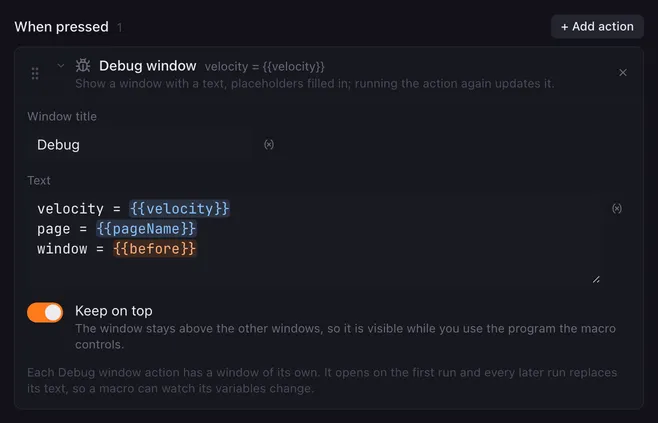
Debug window opens a small window with a text. Placeholders are filled in when the action runs, so the window shows what a variable holds at that point of the macro. Put one after a Get window, an HTTP request or a Run script to see what they wrote.
Settings
Section titled “Settings”| Setting | What it does |
|---|---|
| Window title | The title of the window. Placeholders work. Empty means “Debug”. The pad the macro runs for is added after it, as “column 1, row 8”, so several debug windows can be told apart. |
| Text | What the window shows, as many lines as you like. Type {{ to pick a variable. |
| Keep on top | On (the default): the window stays above the other windows, so it is visible while you use the program the macro controls. |
How it runs
Section titled “How it runs”- Every Debug window action has a window of its own. The first run opens it; every later run replaces its text and title, so a macro that runs again and again shows its values changing in one place.
- Close the window and the next run opens it again.
- The window is a plain text view: select and copy from it as you would from any text.
- The action is instant, and the macro does not wait for anything.
Example
Section titled “Example”See what a Get window found:
- Get window, Foreground window, Remember as
w. - Debug window with the text:
{{w.app}} — {{w.title}}at {{w.x}}, {{w.y}} on screen {{w.screen}}{{w.width}} × {{w.height}}Related
Section titled “Related”- Set variable
- Run script —
Lunchpad.logwrites to the app’s log instead - Variables and placeholders