
Pages
A page is a full layout for the Launchpad. Keep as many as you like, for example one for streaming and one for sounds. The active page is painted onto the device.
Lunchpad turns any Novation Launchpad into a macro controller. Every pad becomes a button with its own look and colour, and every button runs a list of actions when you press it: play a sound, switch an OBS scene, press a hotkey, call a web address, and a lot more.
You do not need a Launchpad to try it. Lunchpad can draw the pads on screen, and clicking them runs the same macros.
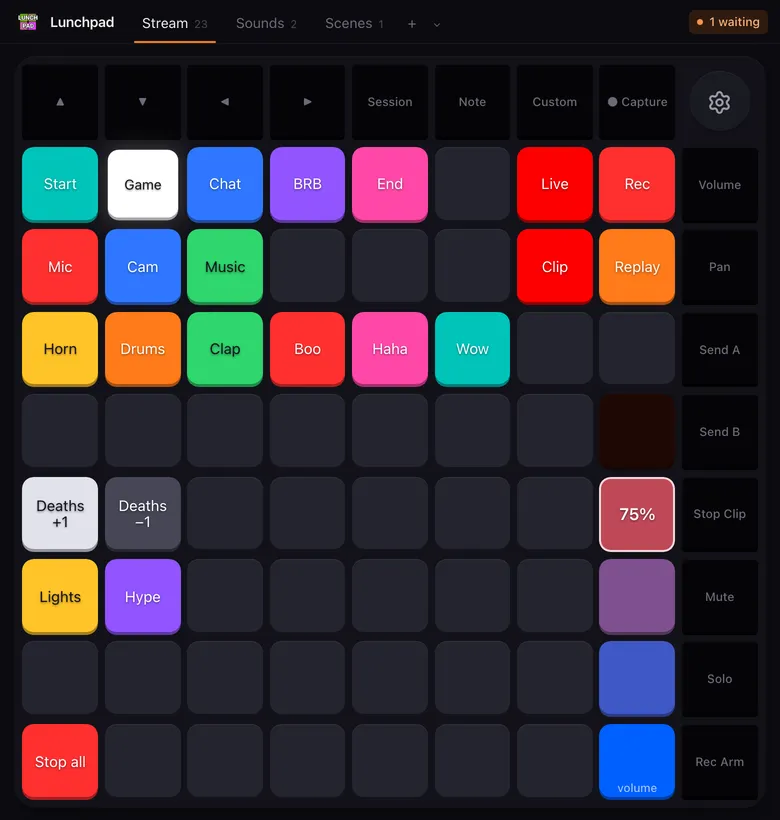
Lunchpad has a small set of ideas. Once you know them, the rest of the app follows.
Pages
A page is a full layout for the Launchpad. Keep as many as you like, for example one for streaming and one for sounds. The active page is painted onto the device.
Buttons
A button sits on one pad. It has a label (text or an image), a colour, an optional colour for when it is active, and its action lists.
Action lists
Every button has three lists: When pressed, When released and When held. The actions in a list run from top to bottom.
Faders
A row or column of pads can act as one fader. Pressing a pad sets the level, and the level can drive any action, such as the volume of a microphone in OBS.
A running list of actions is called a macro. Macros keep running while the window is hidden: Lunchpad lives in the tray (the menu bar on macOS), so you can close the window and keep using the pads.
The full list is in the action reference.
Lunchpad is free software under the GNU General Public License v3. You can use it, change it and pass it on, as long as you keep the licence, the credits and the source with it. If you paid money for it, you got ripped off.